Freeze, select, decide
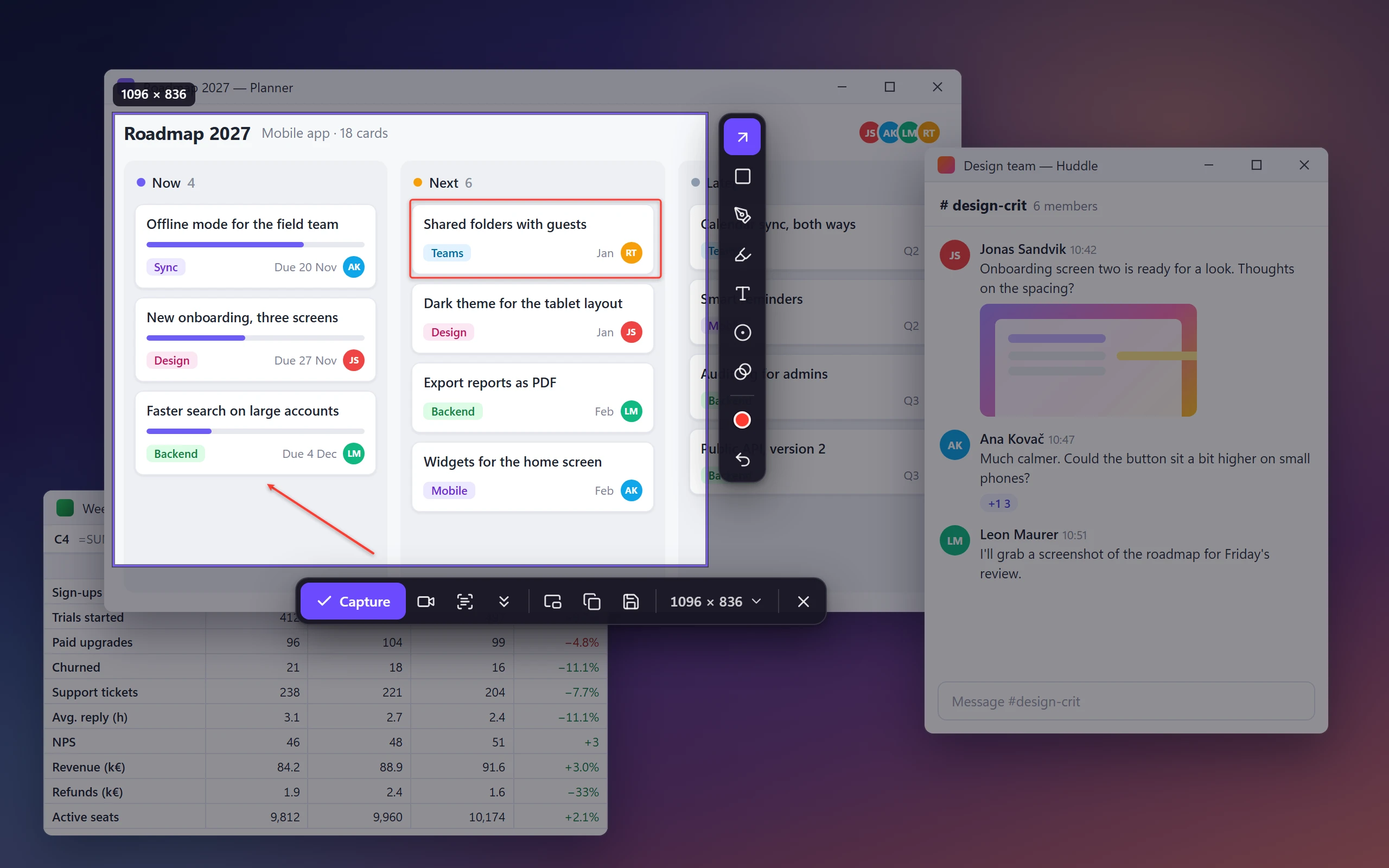
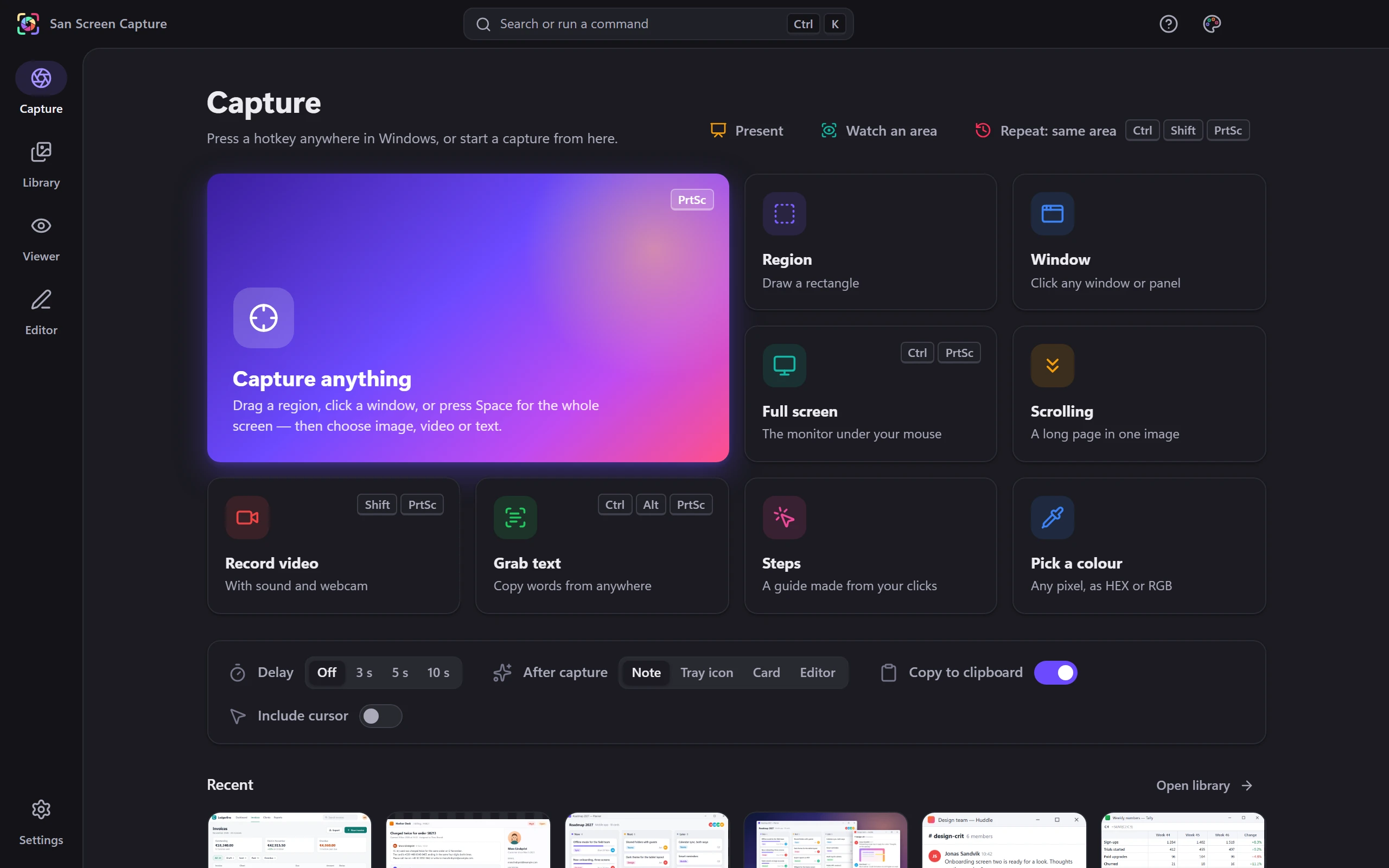
Press Print Screen and the screen holds still. Drag a region or click a window, draw on it, then capture, record, copy or pin.
 Screen capture
Far more than a screenshot.
Screenshots and screen recordings, with an editor made for explaining things. No account, no tracking.
Highlights
Drag a region or click a window; menus and tooltips stay put.
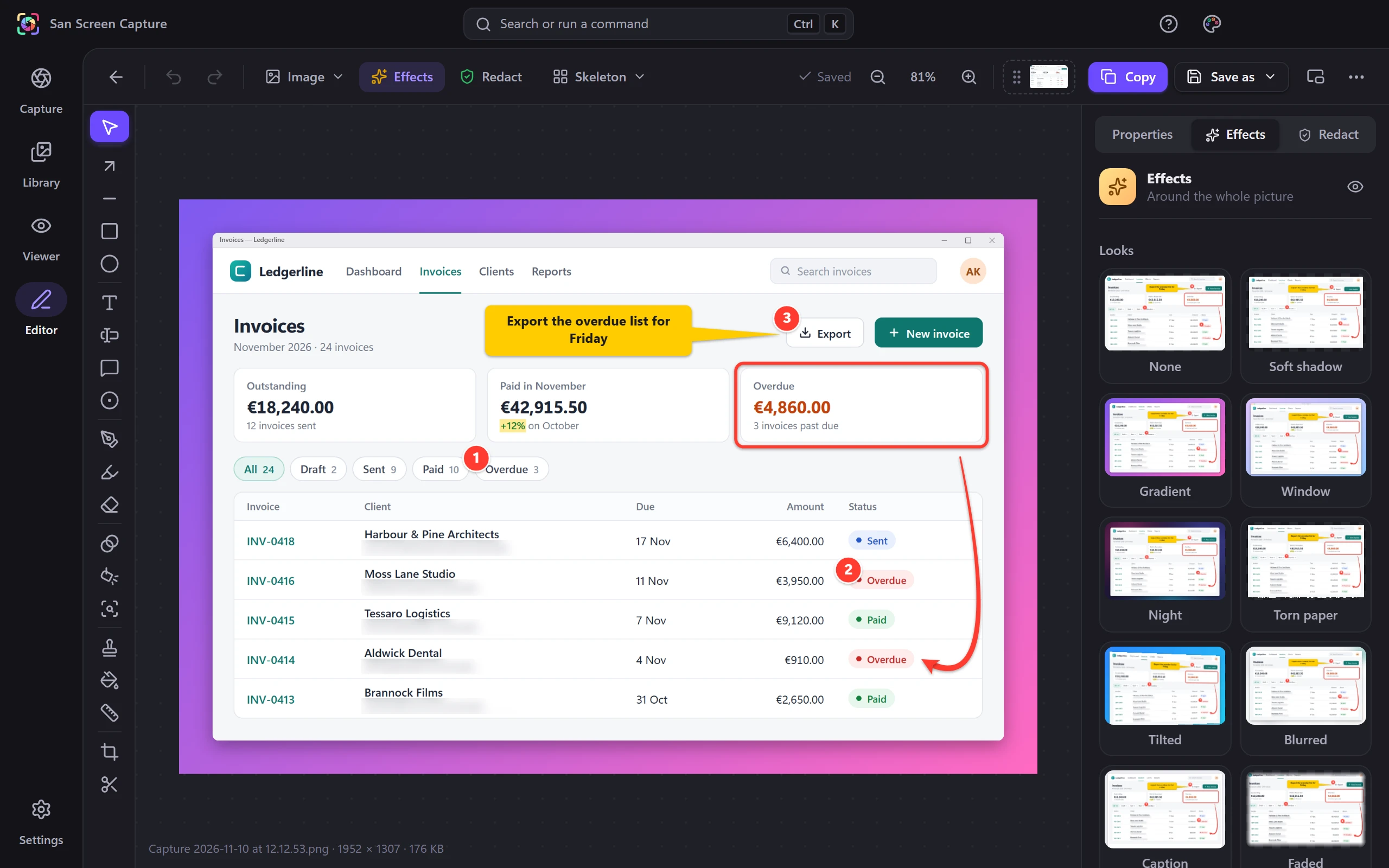
Arrows, callouts, self-numbering steps, magnify, spotlight and gradient backgrounds.
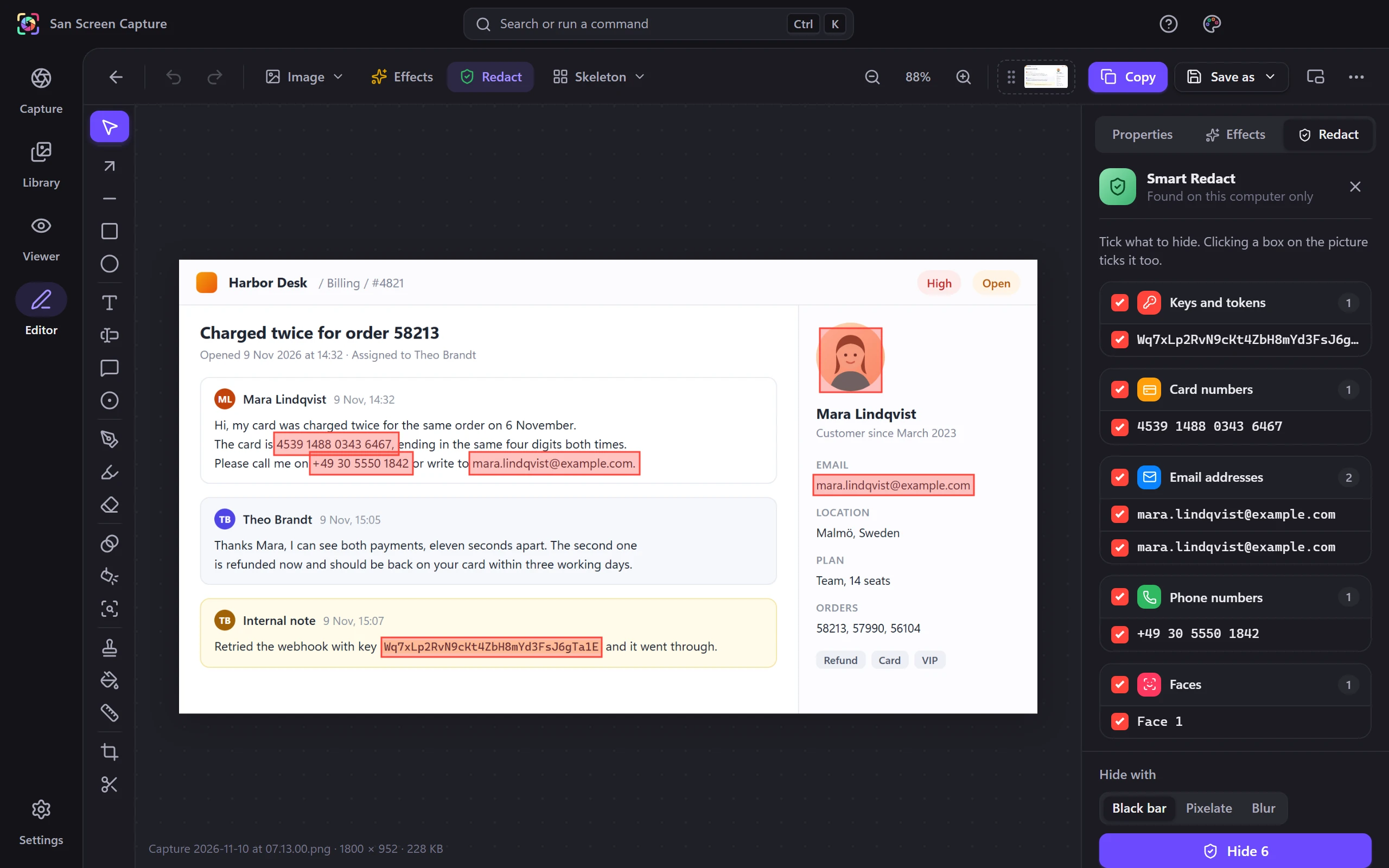
Finds emails, phone and card numbers, keys and faces to hide.
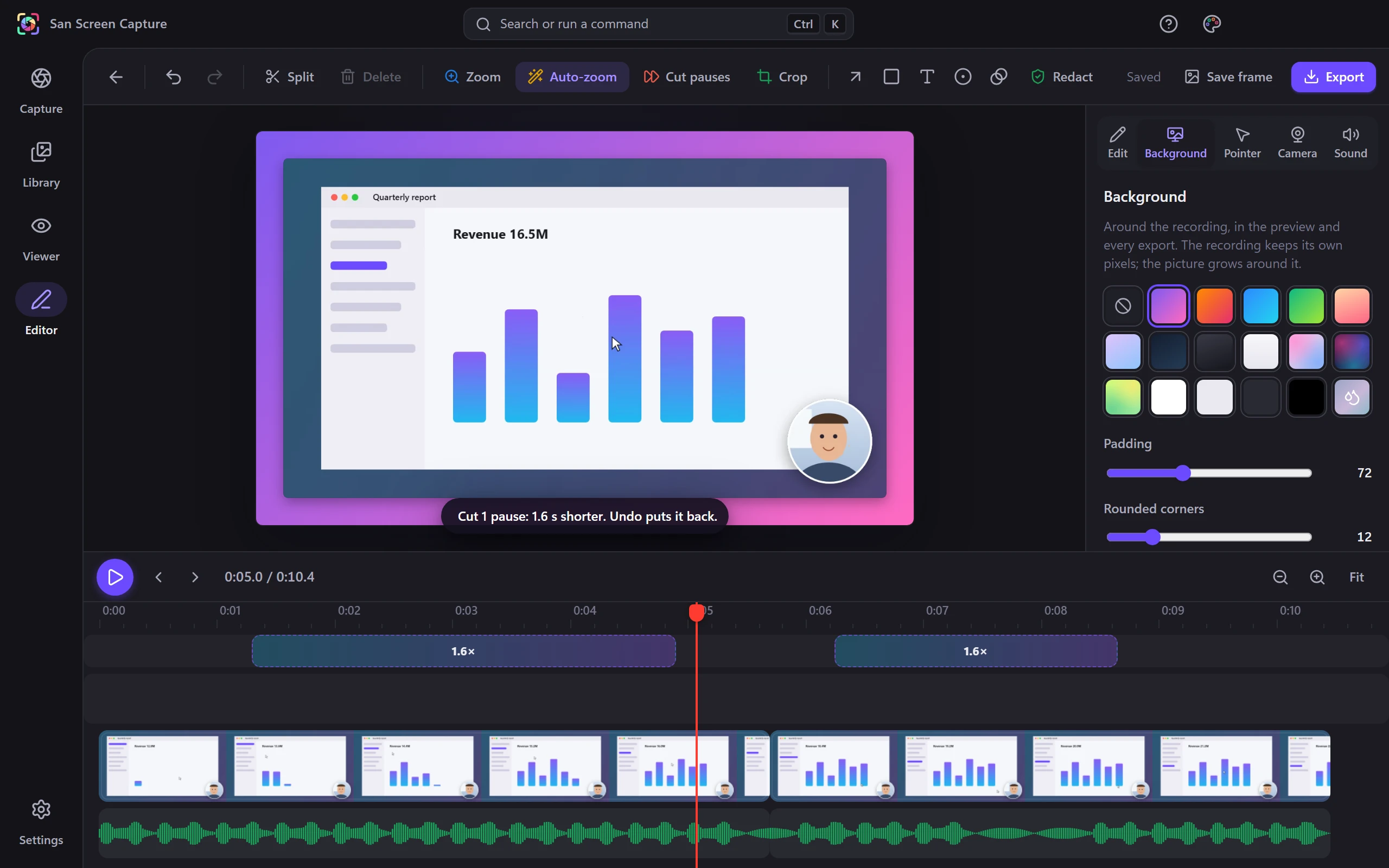
Auto-zoom on clicks, cut pauses, then move the camera or pointer.
Grab text anywhere; tables paste into Excel as real cells.
Retype a word or number in the screenshot, in its own font.
Press Print Screen and the screen holds still. Drag a region or click a window, draw on it, then capture, record, copy or pin.
Smart Redact reads the picture on your computer and boxes email addresses, phone and card numbers, keys and faces. Tick, then hide.
Auto-zoom on your clicks, cut the pauses in one go, add a background, then move the camera or smooth the pointer afterwards.
Scrolling pages, step-by-step guides, text and tables, a colour picker, watched areas and a presenter mode, all from the Capture page.
In detail
Contact
Write to us. We will get you set up.
No mail app? Copy the address into your webmail.